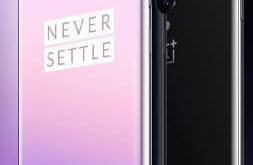
Do you want to install two WhatsApp in OnePlus 7T, 7 Pro, and 7? What are parallel apps or Dual apps in the latest OnePlus devices? Here’s how to enable and use parallel apps in OnePlus 7 Pro and other latest OnePlus devices. Using the dual app in OnePlus 7 …
Read More »How to Disable Developer Option in OnePlus 7T Pro, 7T, 7 Pro, 7
Here’s how to disable developer option in OnePlus 7T Pro, 7T, 7 Pro, 7. You can enable developer options in your OnePlus 7 Pro and the latest OnePlus device using system settings. This OnePlus developer option is used for development purposes only. It includes several useful settings such as USB …
Read More »How to Fix Call Dropping Problem on OnePlus 7 Pro, 7T Pro, 7, 6T, 6
Annoying by network and call drop problems on OnePlus 6 while making phone calls? Here are the possible solutions to fix call dropping problem on OnePlus 7 Pro, 7T Pro, 7, 6T, and OnePlus 6. One of the most common reasons for a call drop problem is a Network signal …
Read More »How to Hide Notification Content in OnePlus 7 Pro, 7, 7T Pro, 7T, 6T, 6 Pro, 6
Do you want to hide sensitive notification content on the lock screen in OnePlus? When you receive any message on your device, you can see notification content pop-up on your OnePlus lock screen. Sometimes it’s annoying several users due to the large number of messages received. Here’s how to show …
Read More »How to Display Internet Speed in OnePlus 11 Pro, 11, 10 Pro, 10R, 10T, 9 Pro, 9RT to 5T
OnePlus device has several unique features, including reading mode, Gaming Do not disturb mode, Bluetooth audio codec, multiple vibration patterns, Camera Pro mode, and more. But in this tutorial, I will show you a complete guide to display internet speed in OnePlus 11 Pro, 11, 10 Pro, 10R, 10T, 9 …
Read More »